
How to create ads that click to WhatsApp to connect with more potential customers
From attracting marketing leads to growing customer engagement, follow these steps to create a Facebook or Instagram ad that opens a WhatsApp chat with your business.
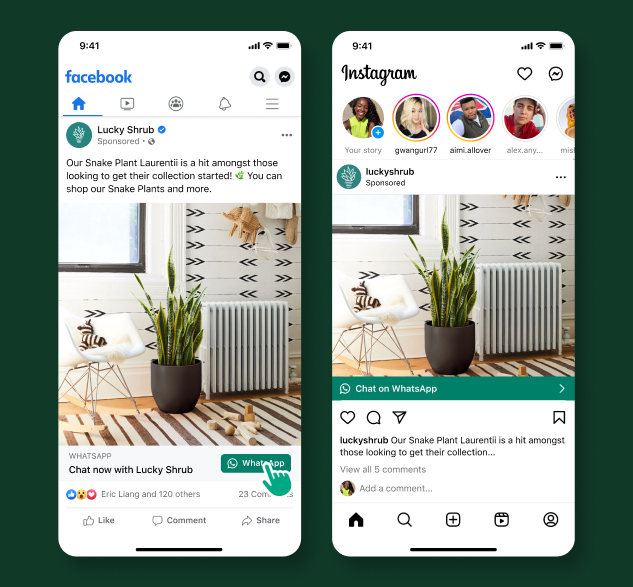
Use Ads Manager to create your ad, and start chatting with new customers.
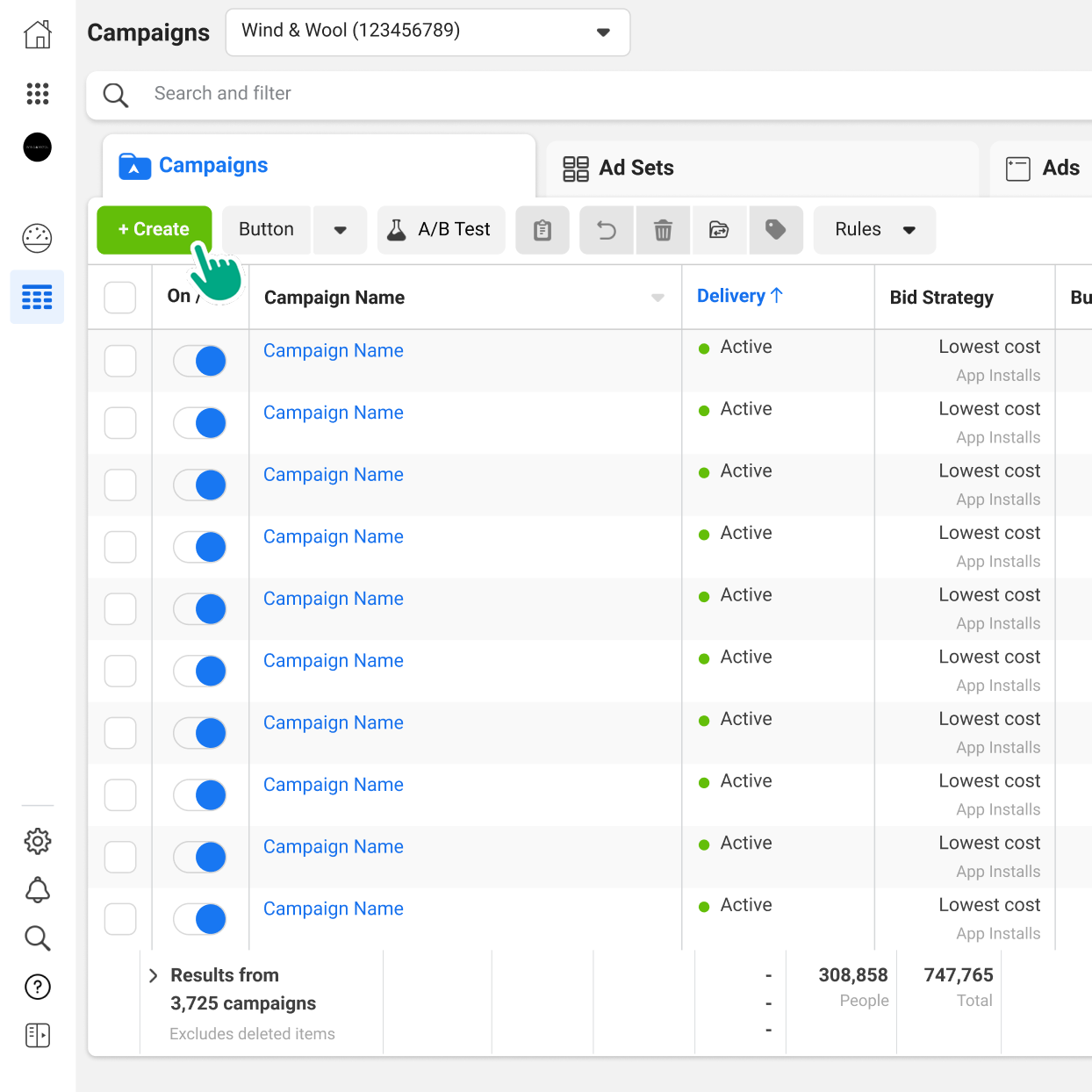
Step 1
Go to Ads Manager and click the Create button.
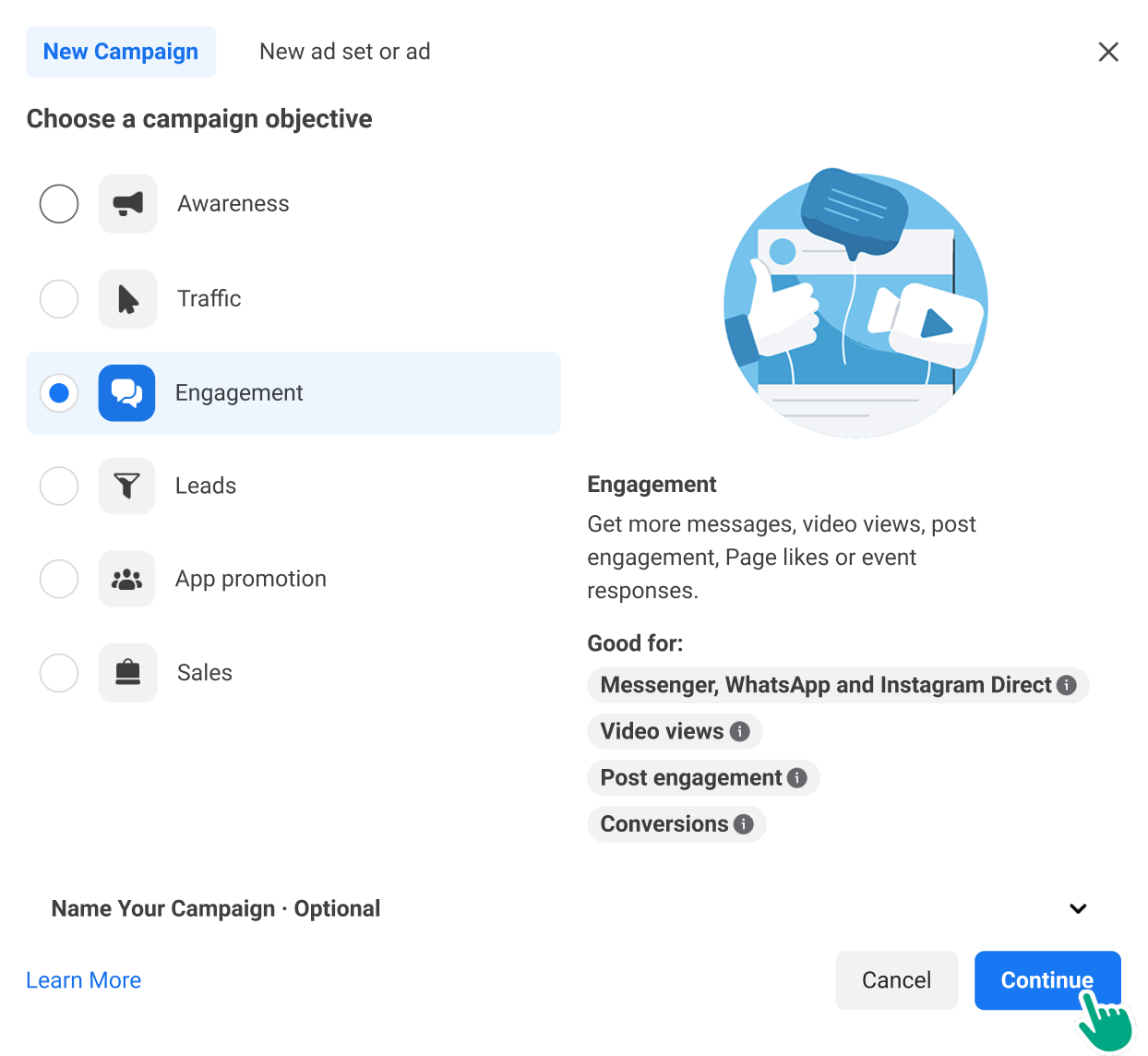
Step 3
Name your campaign for future reference, and click Next.
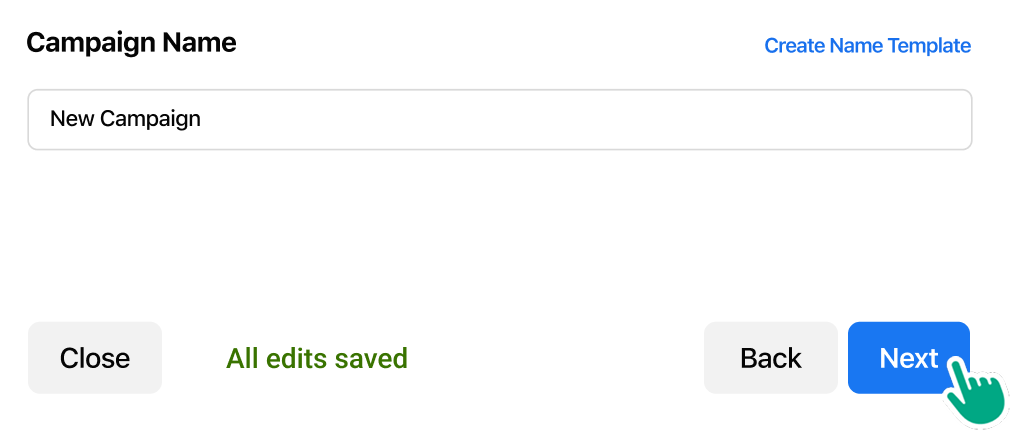
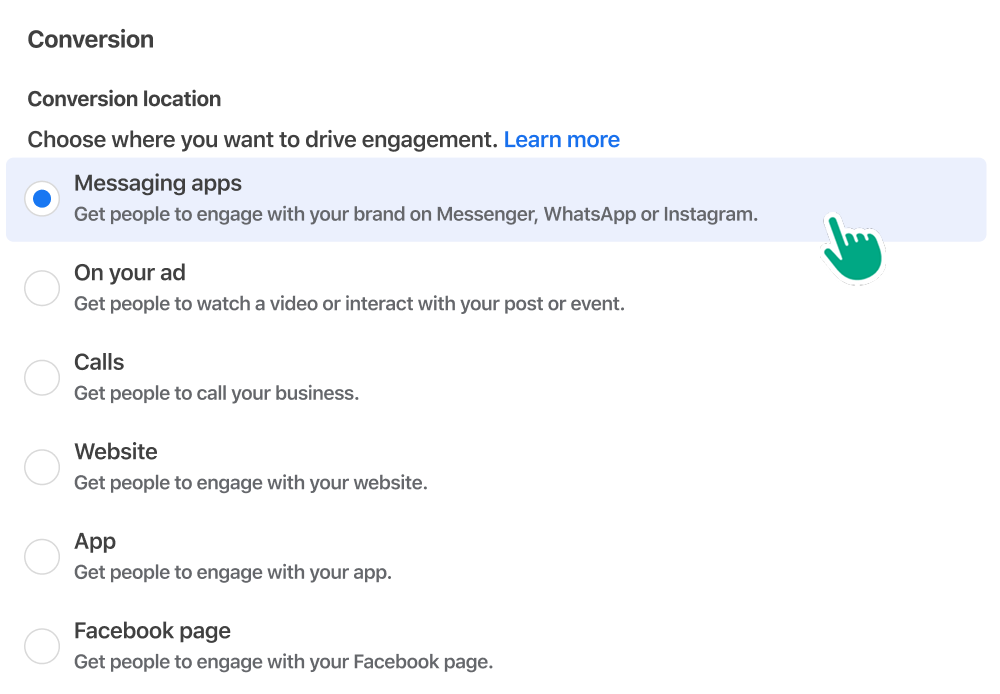
Step 4
Under Conversions, click to select Messaging Apps.
Step 5
Under Messaging Apps, click to select WhatsApp.
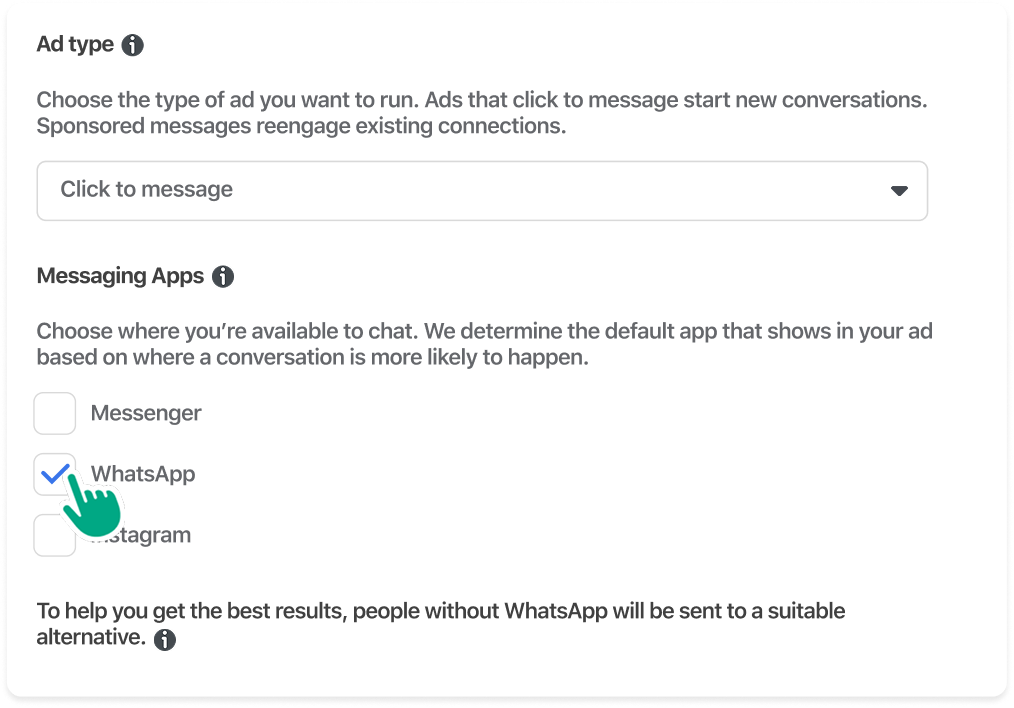
Step 6
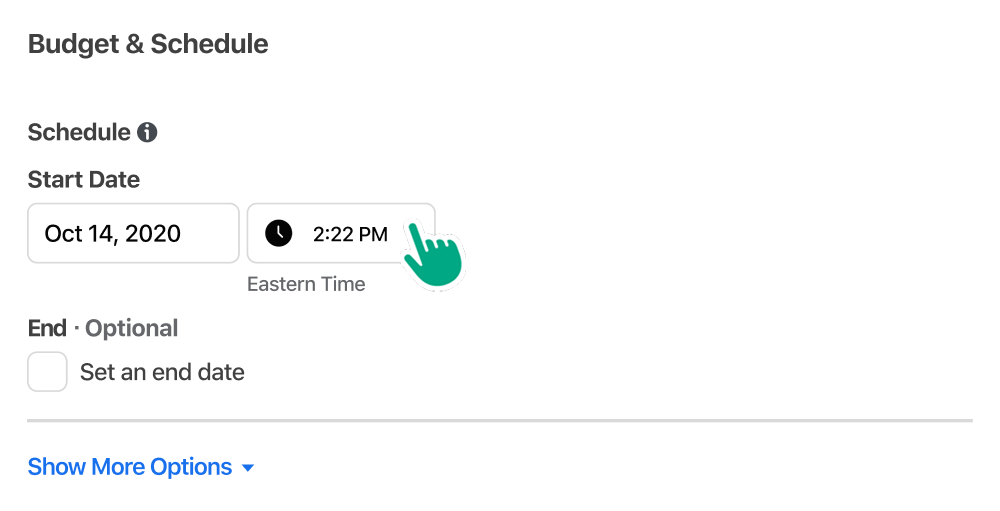
Set start and end dates for your ad (run your ad for at least seven days for best results), and set your budget.
Step 7
Define the audience you want to see your ad. An audience size of at least 2-10M will perform best.
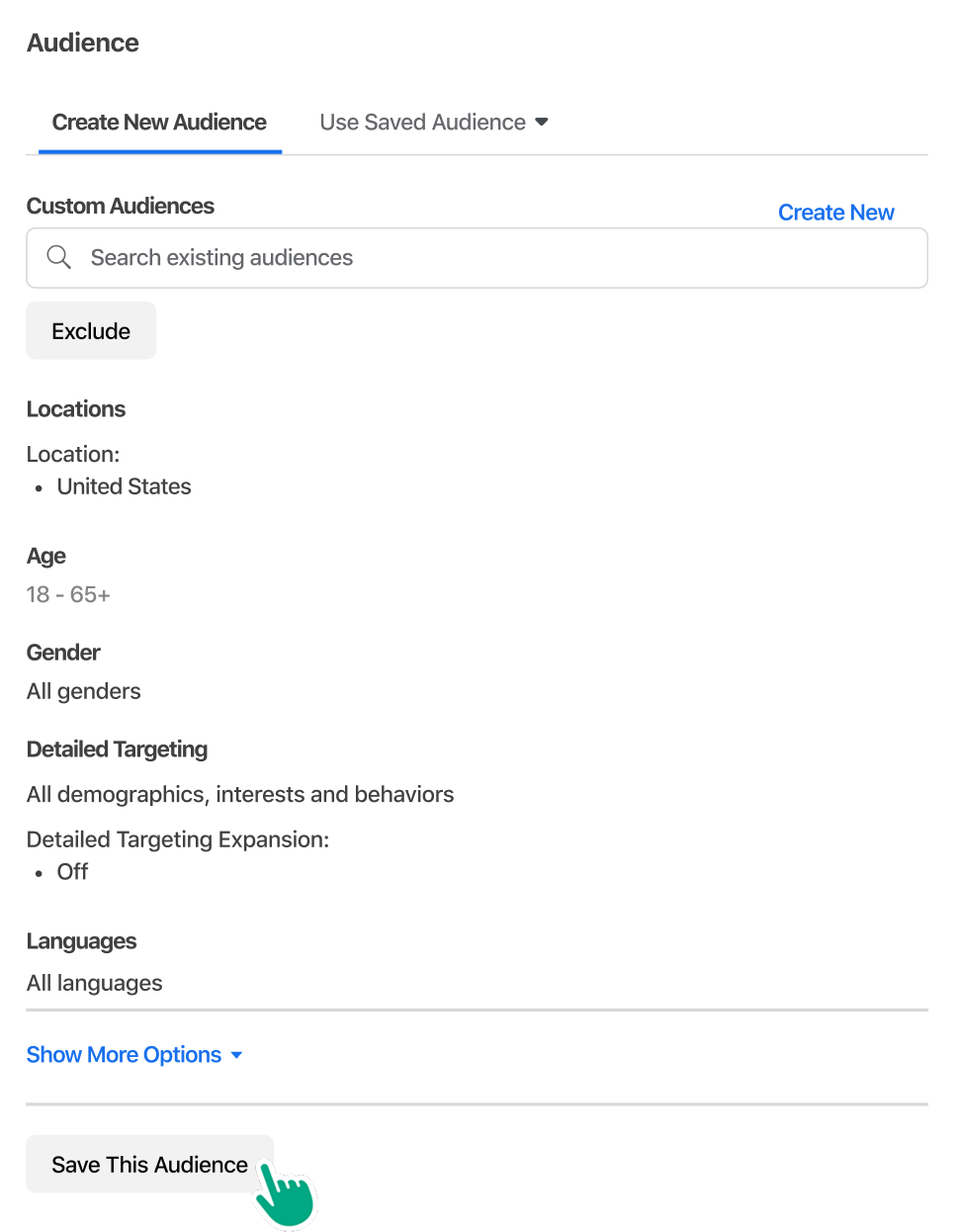
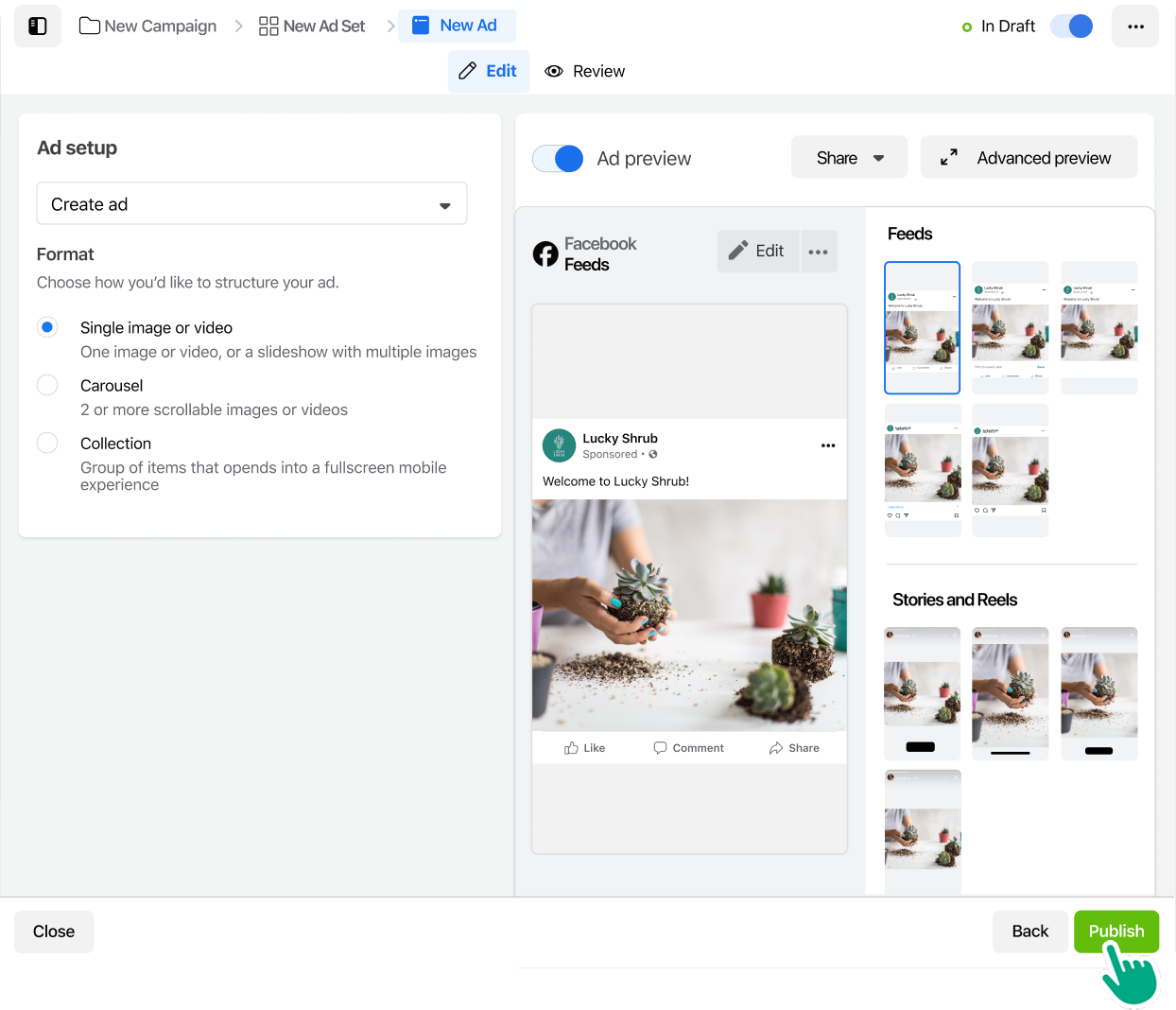
Step 8
Choose an ad format, upload your images, and enter text for your ad. Customize your responses, then click Publish.
Learn more about how to create this type of ad in this video.
Start meaningful conversations with your ads
Ads That Click to WhatsApp create immediate connections with new customers and drive sales.