

When you’re running a small business, your inbox quickly becomes your operations hub: sales leads, product questions, order updates and customer support requests all live in the same stream of messages. The challenge is that message volume grows faster than your available time.
It’s essential to set up strong organizational habits now. Keeping track of customer purchases, preferences, and spending patterns can help you ensure scalability for your business and continue to make sales year round.
An organized inbox can be the difference between:
- Replying quickly vs. losing customers to slow responses
- Remembering details vs. making preventable mistakes
- Doing everything manually vs. building simple systems that scale
The WhatsApp Business app includes tools like Lists and automations that turn overwhelming chats into an efficient workflow that can smoothly expand as your business grows.
Organize your inbox using Lists
As your business grows, it gets harder to keep track of who’s ready to buy, who needs follow-up, and which conversations are urgent. Lists help you group customers and messages so your inbox stays clear and action-focused.
Start by looking at your inbox and determining which Lists make sense for your business. Here are some ideas:
Start with a simple “sales cycle” set of Lists
Look at your typical customer journey and build Lists that match it. Common examples:
- New lead
- Needs follow-up
- Paid
- Shipped/ready for pickup
- Support needed
When you use Lists consistently, you spend less time scanning messages and more time taking the right action.

Go a step further: Lists that fit your business type
You can also create groups using Lists that match your specific business type. Once the basics are working, create Lists that reflect what you actually need to remember—especially details that impact fulfillment and customer happiness. For example:
- “Repeat customers”
- “Wholesale / bulk buyers”
- “Allergies / dietary preferences” (food businesses)
- “Custom orders”
- “VIP / high-value customers”
- “Seasonal buyers” (holiday-only shoppers)
Save time by pairing Lists with quick replies
Lists are most powerful when they don’t just organize, they help you respond faster. Once you have a few key Lists set up, create quick replies for the most common questions and next steps for each group.
Quick replies you can set up
Start with the messages you type repeatedly every day or week:
- Greeting + “How can I help?”
- Pricing and what’s included
- Availability / sizes / colors
- Business hours and location (or delivery zones)
- Turnaround time / shipping time
- Payment methods
- Order confirmation message
- Pickup instructions or delivery scheduling
- Tracking message
- Returns/exchanges policy
- Out-of-stock + restock ETA
- Custom order process
This approach reduces typing and helps you stay accurate when you’re busy, tired, or juggling multiple conversations.
Then, consider which lists match each type of quick reply. For example:
- New lead → pricing, sizing, availability, business hours
- Paid → confirmation + timeline + what you need next (address, pickup time, etc.)
- Shipped / Ready for pickup → tracking template or pickup instructions
- Support needed → returns/exchanges steps, troubleshooting, resolution option
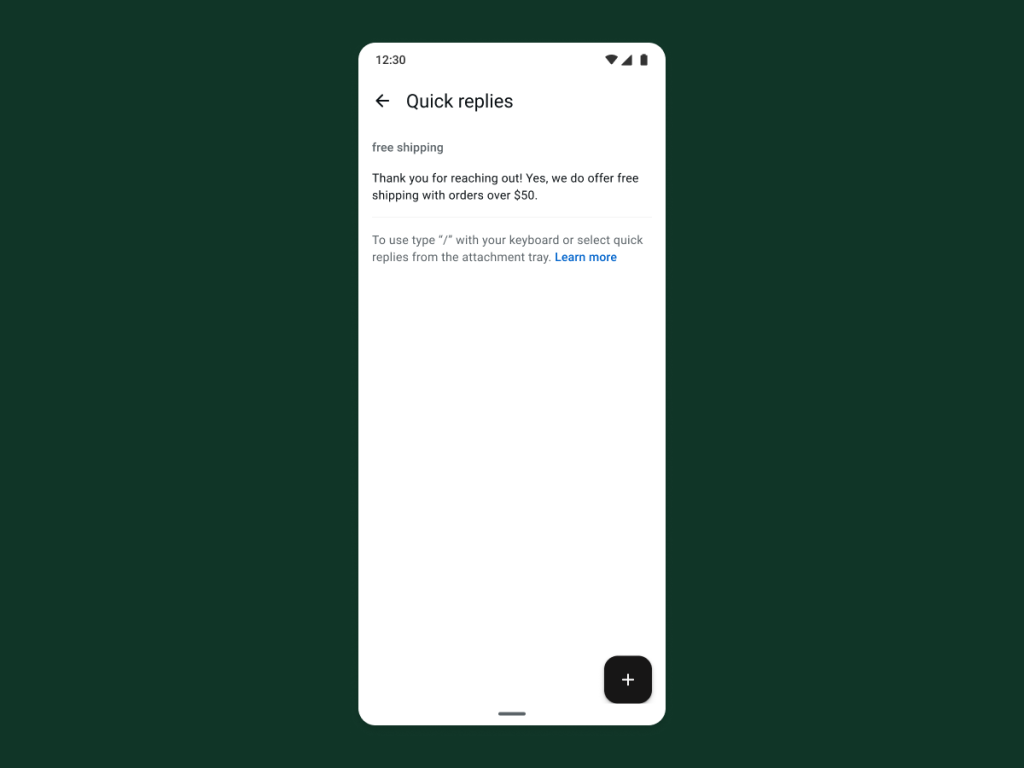
Lists help you respond with context and confidence
By creating quick replies that cater to specific customer types, you can also narrow down your replies based on the list the customer belongs to. Create an instant, personalized customer experience with each send.
Quick replies don’t have to sound robotic. Use a simple structure that leaves room for personalization:
- Greeting + name
- One clear answer
- One next step (a specific question or call to action)
- Optional: share a catalog item/collect

Example template:
“Hi __! Yes, we have that available in __. It’s __ and includes __. Would you like to make a purchase?”
That structure keeps you fast and friendly. You can easily edit templates while providing your customers with speedy, helpful responses.
WhatsApp Business App Resources
Learn all the ways you can build deeper relationships and drive value for your business across the customer journey using the WhatsApp Business app.