

Help your business get discovered
Be easy to find
A WhatsApp Business username gives customers a simple, memorable way to search for and reach your business. Customers can now find your business by @username — no phone number needed to reach you.
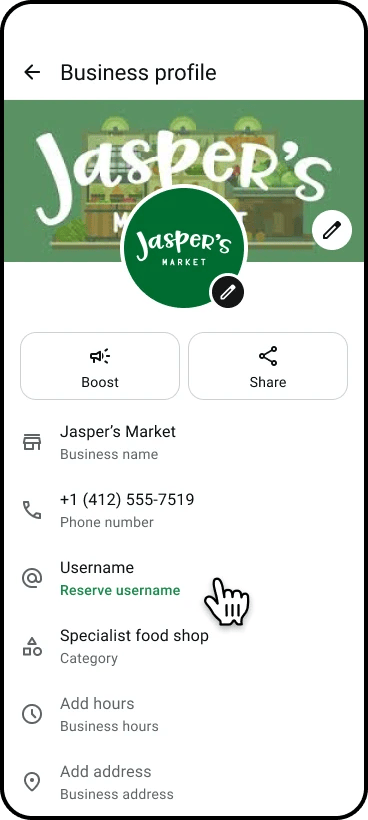
Strengthen your brand
Your username is displayed prominently on your WhatsApp profile, reinforcing your brand identity every time someone interacts with you.
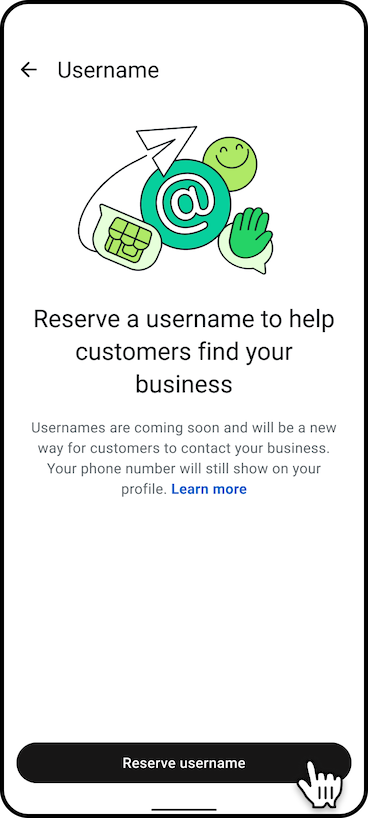
Stay consistent across platforms
Claim a username that matches your handles on Facebook, Instagram and other channels so customers always know it’s you.
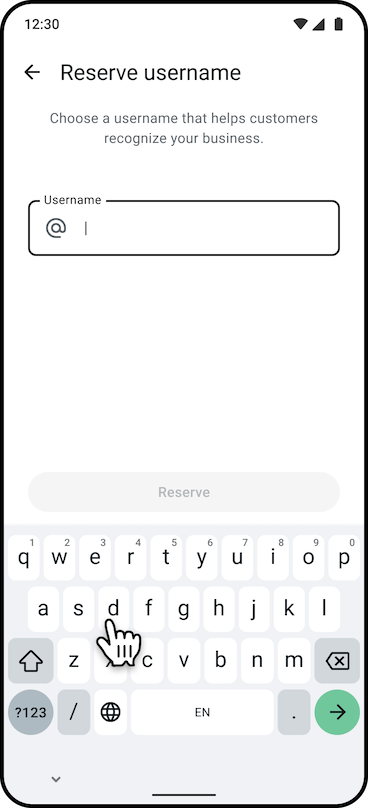
What a WhatsApp Business username offers
Cross-platform recognition — Use the same name customers already know from your other social channels.
A unique @username — Once the feature is live in your area, customers can search for and message your business directly using your username.
Prominent brand display — Your business name is featured on your WhatsApp profile and in chats.
Best practices for choosing your username
Keep it simple and recognizable
Choose a username that matches or closely reflects your business name so customers can easily identify you.
Be consistent across platforms
If you already have a Facebook or Instagram handle, try to claim the same name on WhatsApp for a seamless brand experience.
Have backup options ready
Popular names go fast. Prepare 2–3 alternatives in case your first choice isn’t available.
Know the rules
- Must be 3–35 characters long
- Can contain lowercase letters (a–z), numbers (0–9), underscores (_), and periods (.)
- Can’t only contain numbers
- Must be unique
- Can’t contain restricted words or phrases
Where you can claim your username
You can claim your WhatsApp Business username through:
- WhatsApp Business app
- WhatsApp Manager
- Meta Business Suite
- Cloud API
Usernames coming soon
Claimed usernames that are approved will become active once the feature is available in your country.
Setting up your username: 3 steps
Assign an owner — Designate who in your business (e.g., your WhatsApp admin or Business Manager admin) handles the claiming process, and confirm they have the required permissions.
Choose your username — Decide whether you’ll use your current WhatsApp Business display name, your Meta Verified business name, or your Facebook or Instagram handle. If you have multiple WhatsApp accounts, think through your branding strategy across them.
Link your phone number — To claim a username tied to your Facebook Page or Instagram account, link your business phone number to that account. You can do this in Meta Business Suite, WhatsApp Manager, or directly on your Facebook or Instagram account.