

Setting up and optimizing your catalog
An optimized catalog can enhance your customer experience and help you drive sales. Here’s how to set it up.
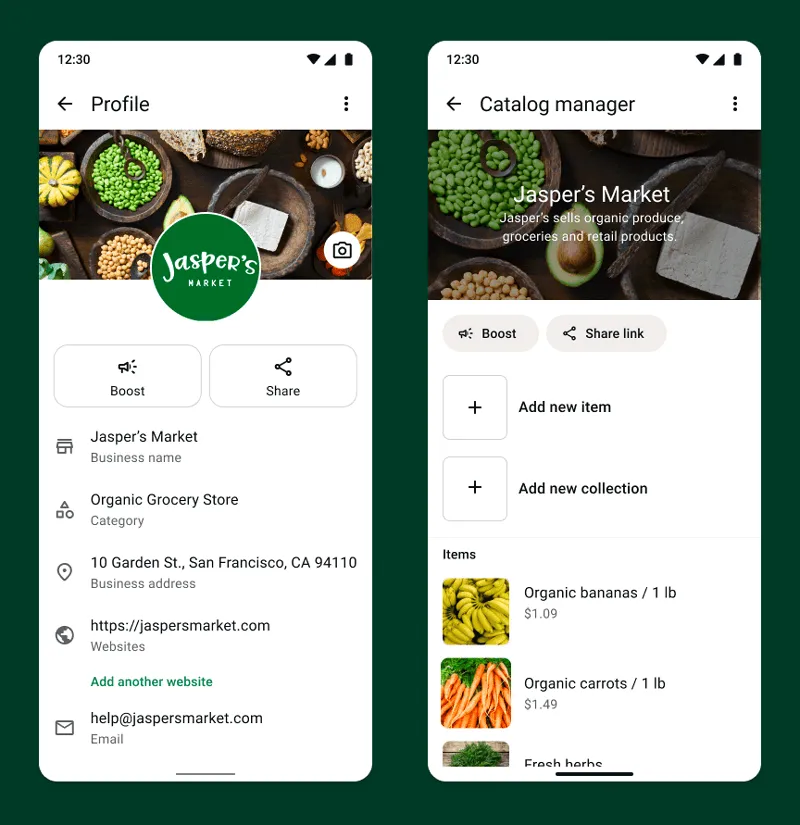
It’s important to have a comprehensive display of your business offerings. A catalog lets your customers browse, select, and share the products or services they’re interested in, making for an easy sales experience.
Watch the example video to hear about what an optimized catalog can do for your business.
Showcasing individual products
You can also add up to 10 photos and/or videos of the product, so be sure to include everything you can to best showcase your item! You’ll want to display product images, multiple angles of each item, close-ups, and any other visual information that will be important to the customer as they consider purchasing. If your business offers a service, be sure to include any images that will be relevant to your customers, such as results, progress photos, before-and-afters, and close-ups of your completed work. Ensure that all shots are well-lit and clear.
Pro tip: you can also “hide” certain products from view. Use this to ensure that you’re not displaying items that aren’t currently in stock, and to hide certain colors or product variations that might not yet be available.

Be sure to add all relevant information for each product or service in your catalog.
Adding Categories
Did you know that you can sort products into categories? These can direct customers to similar items and help you reach your sales goals. Some category ideas include: Bestsellers, seasonal items, sale items, and more.
Remember: your catalog might be the first impression a new customer has of your business. Put your best foot forward by including clear photos and descriptions of all your products.

Ways to use your optimized catalog
Now that you have a fully optimized catalog, here are some additional tips to use your catalog to encourage sales.

Keep your catalog up-to-date
Regularly update your catalog to keep customers coming back. Generate interest in new products and encourage customer retention.

Share your catalog with customers
Use features like campaigns, auto replies, and even direct messages to share your catalog. Additionally, update your WhatsApp status with a link to your catalog and a call-to-action.
Send catalog items directly through chat
A customer asks if you have a specific type of item? Send them the collection! Planning ahead and creating a useful, well thought-out catalog will ease the sales process.
How an optimized catalog improves your business goals
It’s important to consider the customer’s perspective as you set up your catalog. Think about your frequently asked product questions and the information your customers might want to know. Including all the necessary information up front will help speed up the sales process and make for a frictionless customer experience.
Optimizing your catalog to encourage sales will help you in a number of ways:
- Help improve ad performance:
- A professional storefront helps new and returning customers feel excited about your products. Additionally, setting up collections will encourage customers to “window shop” and browse similar items, potentially leading to more sales.
- Easy sharing:
- Both catalog collections and individual items can be shared within a WhatsApp chat. Direct customers to view specific items or collections by simply sharing a message with them. Additionally, your customers can share links to collections and items with their family and friends within chats, helping grow your customer base/brand!
- Boost efficiency:
- Gone are the days of back-and-forth messages. No need to answer basic questions about price or send product photos—now, you can direct customers to your catalog so they can easily browse and shop for items. Remove the friction and encourage sales with a seamless process!
WhatsApp Business App Resources
Learn all the ways you can build deeper relationships and drive value for your business across the customer journey using the WhatsApp Business app.