

What ads can do for your business
Read more about how WhatsApp Business products are helping businesses build better relationships to accelerate their growth.
Bring you new customers. Reach people who’ve never heard of you, on the apps they already use every day.
Start real conversations. A tap becomes a chat. You can answer questions, share photos, quote a price, and close a sale — all in one conversation.
Reach people who are ready. Someone who messages you is far warmer than someone who clicks a link. You spend less time chasing and more time selling.
Keep the relationship. The chat doesn’t disappear. That customer can message you again next month.
Your ad options on WhatsApp Business
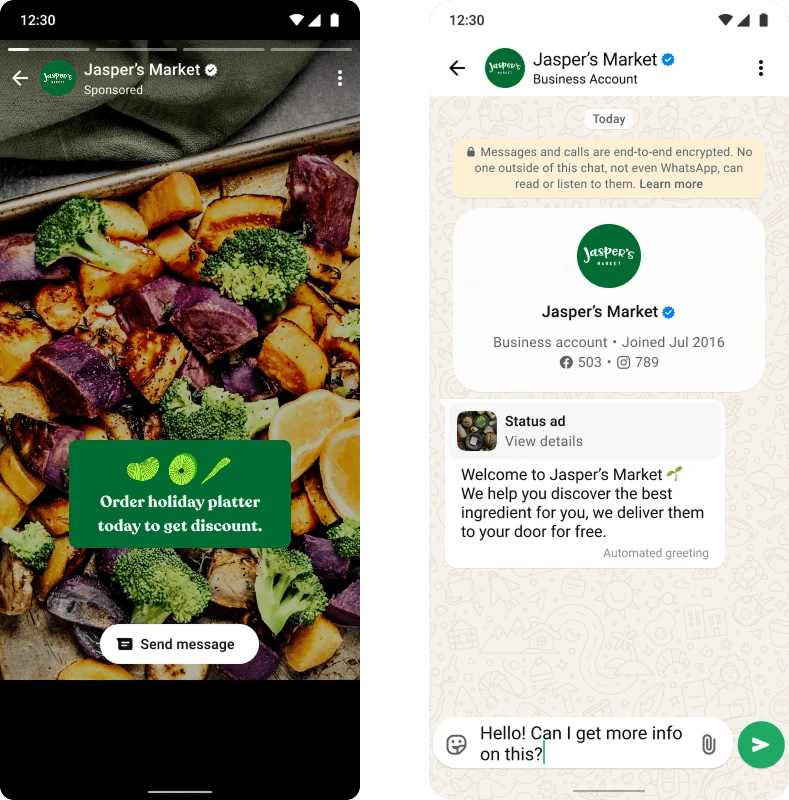
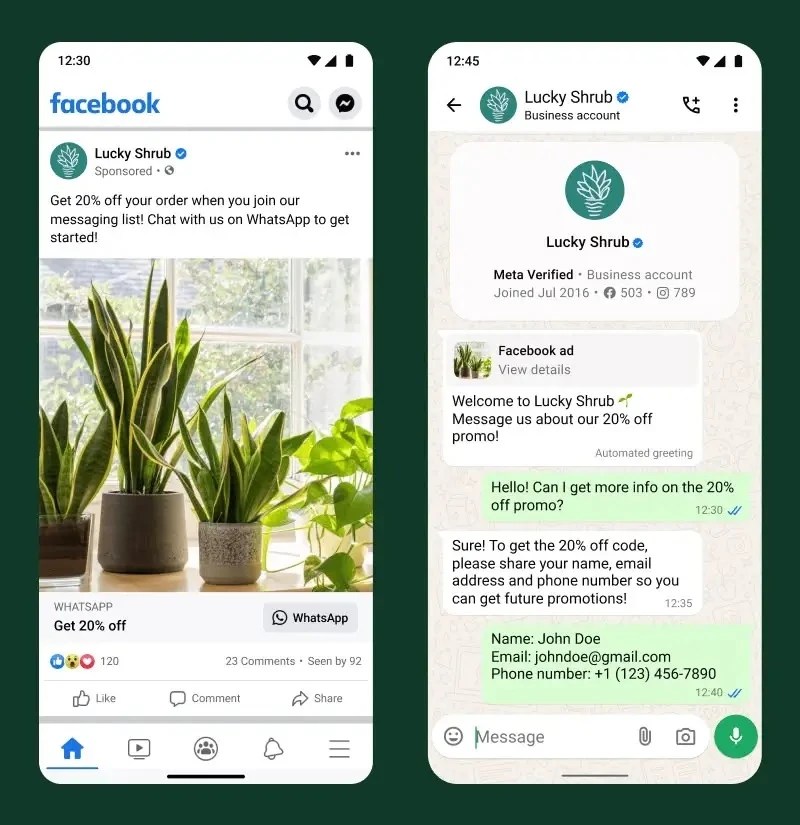
Ads that click to WhatsApp. One tap takes people from your ad straight into a chat with you.
Optimize for the leads that matter. Rather than just paying for clicks, you can tell us what a good customer looks like — someone who replies, qualifies, or actually buys — and we’ll find more people like them. Learn more about ad optimization.
Show up in ads in Status. Your ad can also appear in ads in WhatsApp Status, right where people are already scrolling — new inventory reaching customers in the same place they check messages every day.
Things you can adjust anytime
Audience — who sees your ad. New to ads? Turn on Advantage+ and narrow your location.
Budget — how much you spend per day.
Duration — extend an ad that’s working instead of rebuilding it.
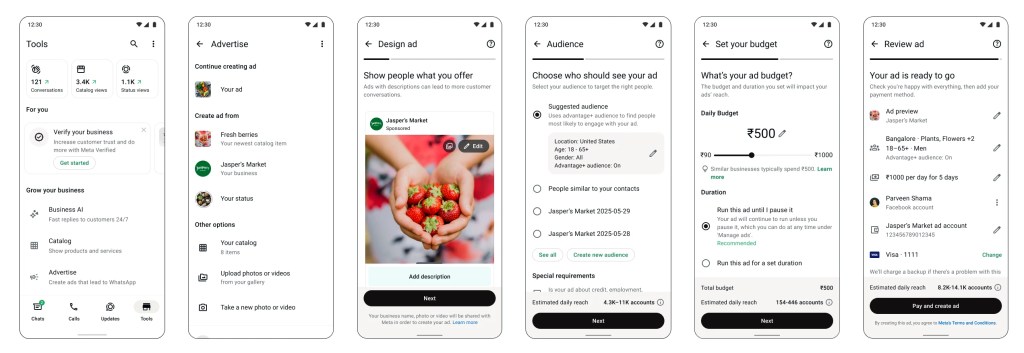
Quick guide: setting up your first ad
- Complete your WhatsApp business profile — name, hours, location, catalog
- Turn on a greeting message and an away message – your ad will send potential customers to this chat, and a fast response will help them feel heard
Then go to Tools → Advertise
1 · Set up — Connect your Facebook profile to your ad account.
2 · Design — Pick your media and write your description.
- Use high-quality images that show your actual products — not just your logo.
- Give a clear reason to message you: “Need pet-safe plants? Message us today.”
3 · Audience — Choose who sees your ad.
4 · Budget — Set a daily budget and how long it runs.
5 · Review — Check everything, then publish. Edit or extend anytime.
Some tips for new advertisers:
- Change one thing at a time — image, or copy, or audience. This will help you learn what your audience responds best to.
- Reply fast. A reply in seconds keeps a lead warm and can help your customer feel confident before making a purchase.