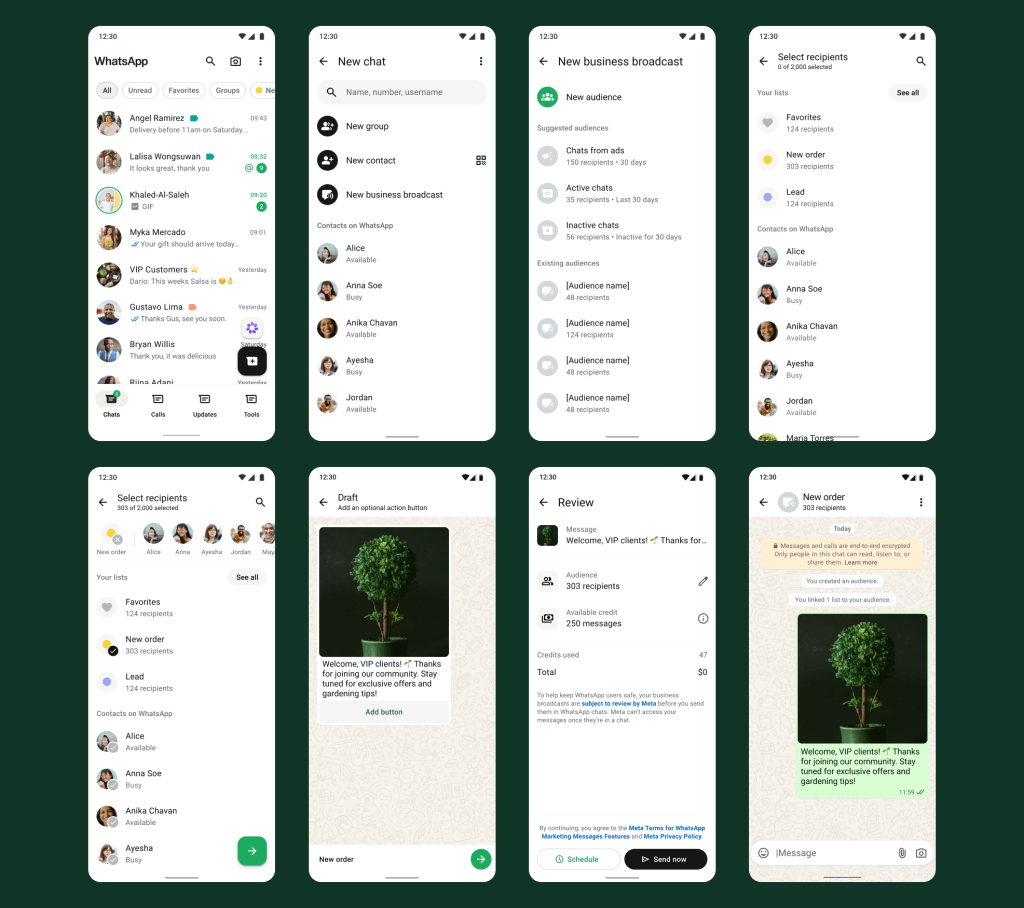

Seamlessly re-engage your audience
Business broadcasts are simple to use, accessible inside the WhatsApp Business app, and easy to try and repeat to turn contacts into conversations that drive results.
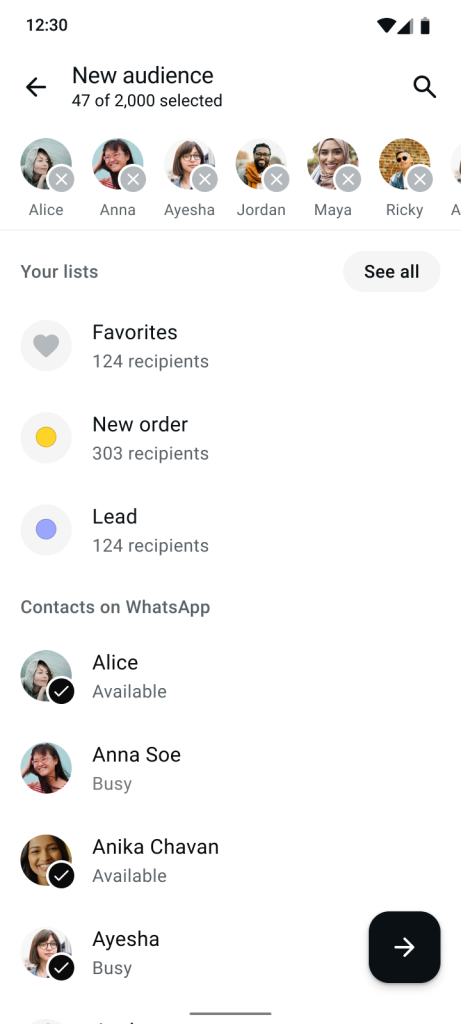
Create custom audiences or choose from pre-selected options.
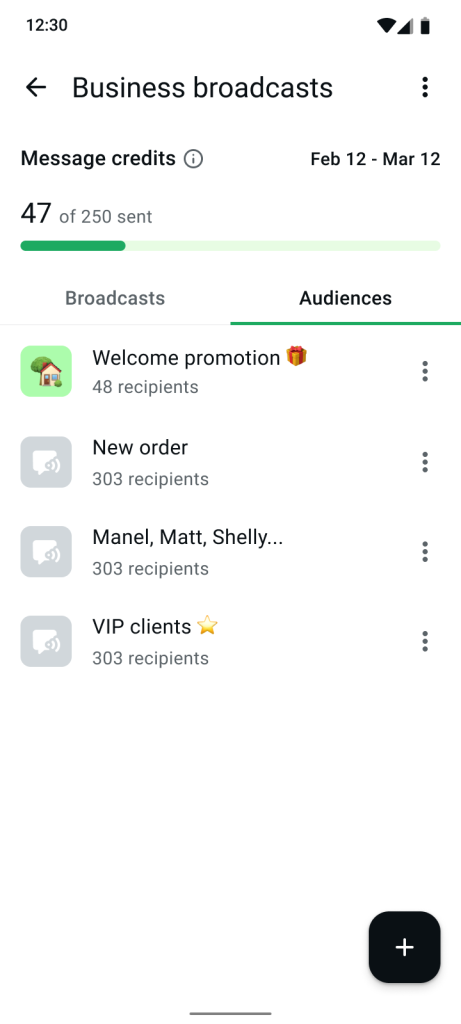
Send 1:1 messages to multiple people at once, with quick-action buttons, scheduling, and insights.
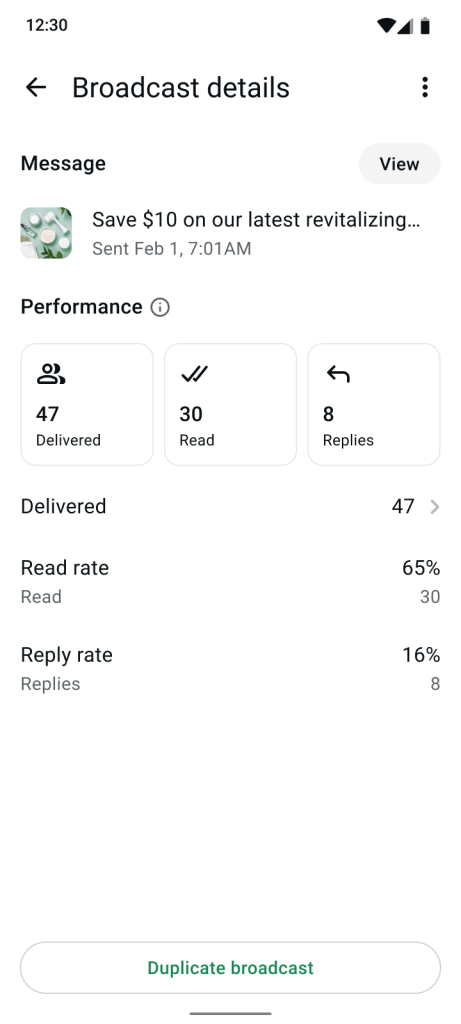
Review insights to see which broadcasts your customers interact with the most.
What you get with business broadcasts
Business broadcasts give you access to tools that help you send timely, actionable updates people respond to.
Reliable 1:1 messages at scale
Message all your customers at once, even if they haven’t saved your contact number. This addresses the challenge of traditional broadcasts and ensures you reach more of your audience in a faster, more dependable way.
Scheduled messaging for optimal timing
Schedule your messages ahead of time to reach customers when they’re most likely to notice. You don’t have to be physically present to send the message at the optimal moment.
Drive action and engagement
Create engaging messages at scale with call-to-action buttons. Add buttons to book, order or call so customers can take the next step in one tap, improving customer response rates and driving outcomes like RSVPs, reminders, and sales.
Learn and improve over time
View engagement metrics like read rate, replied rate, and message engagement to understand what’s working. Learn from these insights to improve your future messages and drive better results.
Scale outreach efficiently
Instead of sending repeat messages manually, send one private 1:1 message to multiple people at once. It’s easy to do in just a few taps directly from the WhatsApp Business app.
Get started with business broadcasts on WhatsApp:
Getting started is simple and takes only a few taps inside the WhatsApp Business app. Make sure you have your contacts ready, then open WhatsApp Business and:
- Tap on Tools and then select business broadcasts.
- Select the contacts you want to message.
- Create your message and add call-to-action buttons.
- Choose to send immediately or schedule for later.
- Review your performance insights to learn what works.
Have questions? Learn more about getting started with business broadcasts.
Before sending business broadcasts on WhatsApp, ensure your contact list is up-to-date and relevant to the messages you plan to send. Learn more about best practices for messaging your customers.