

What is a high-quality lead?
A lead is someone who shares meaningful information with your business after starting a conversation from an ad that clicks to WhatsApp.
But not all leads are created equal. A high-quality lead doesn’t just click your ad and say hello, they engage with real intent. They share contact details, ask about your product or service, and show genuine interest in becoming a customer.
The goal isn’t just more conversations. It’s more of the right conversations.
How to get new leads using ads that click to WhatsApp
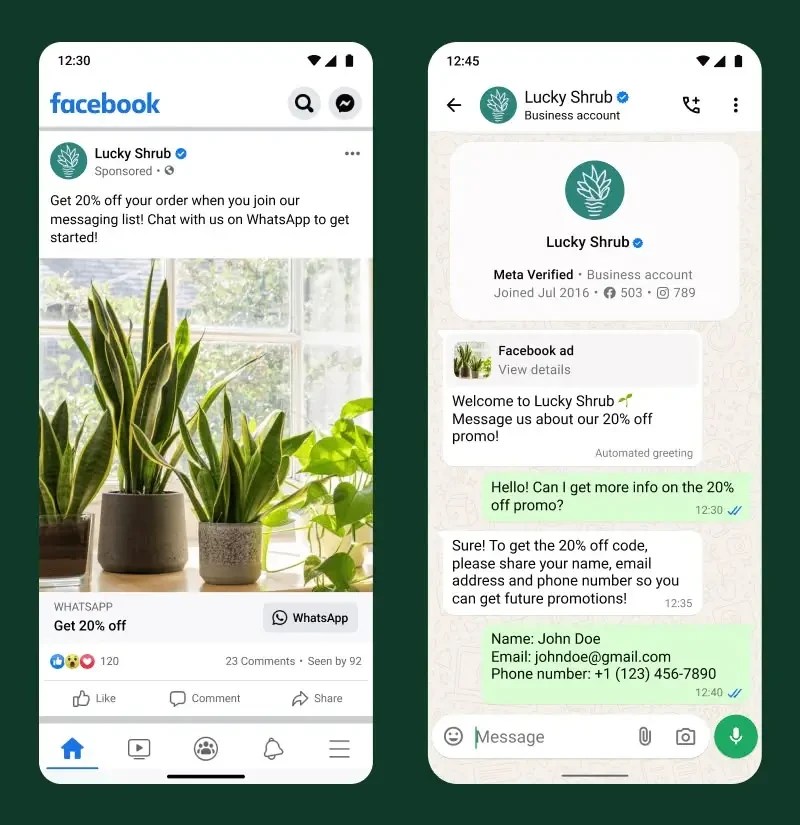
Ads that click to WhatsApp let people tap an ad on Facebook or Instagram and land directly in a WhatsApp chat with your business. It’s one of the fastest ways to move someone from discovery to conversation.
Converting those conversations into leads typically happens in three stages:
- Entry and re-entry: Your ad brings people into the chat (and brings past visitors back).
- In-chat experience: The conversation builds trust and moves them toward action.
- Conversion point: They schedule an appointment, make a purchase, or take another meaningful step.
Let’s break down how to optimize each stage.
Optimize your ads that click to WhatsApp
Your ad is often a customer’s first impression of you. Here’s how to make it count.
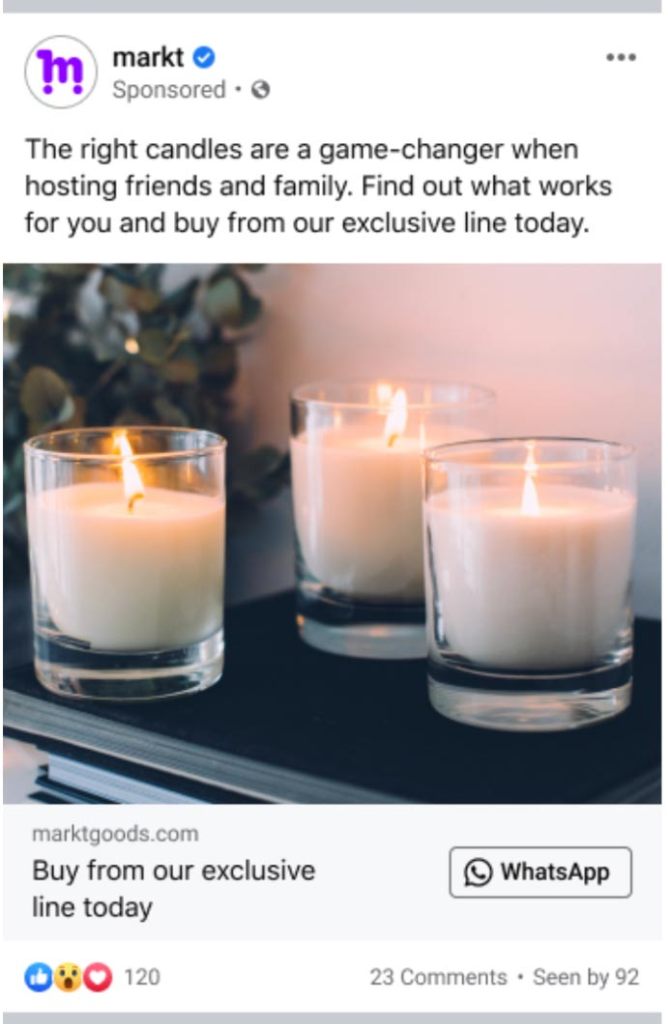

Get their attention fast
Use clear imagery and concise language that speaks directly to your audience. Focus on what your product or service does for them and follow the best practices for ads that click to WhatsApp. Keep it simple, specific, and relevant.

Make your ads feel personal
People are more likely to engage when something feels like it’s meant for them. Speak to their needs, not at them. When they click through, greet them by name in your first message. This makes the interaction feel like a conversation, not a transaction.

Use a strong call to action
A clear CTA like “Chat with us” or “Message us to learn more” tells people exactly what to do next. This simple prompt encourages users to click and become a potential lead.
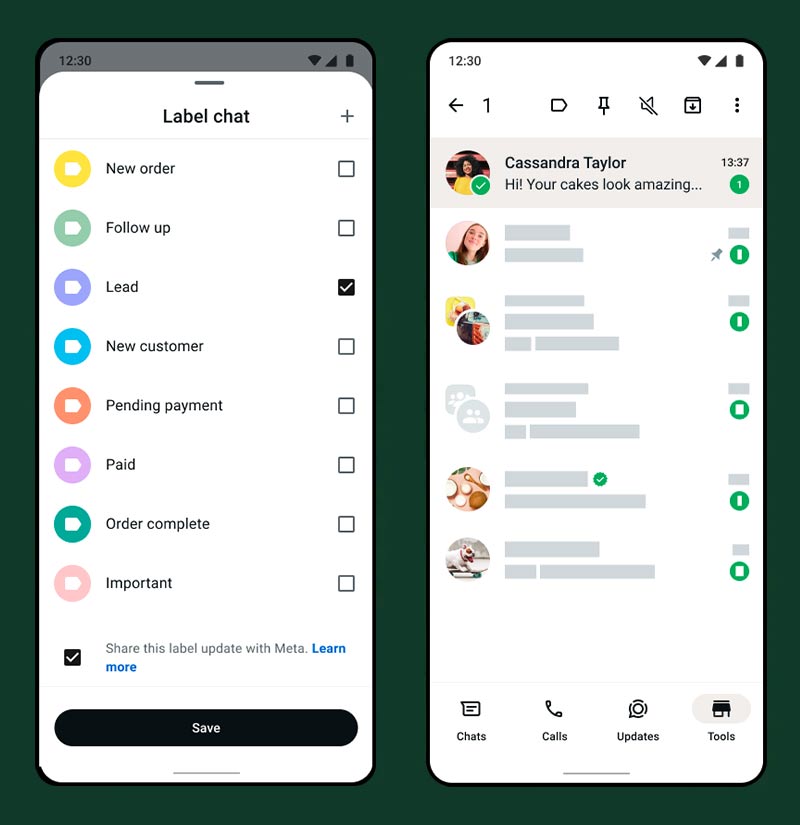
Convert more leads in the chat
Once someone messages your business, the conversation is your opportunity to turn interest into action.
Respond fast
Speed matters. Leads that receive a response within minutes are significantly more likely to convert than those left waiting. Use quick replies and greeting messages to acknowledge every new conversation instantly.
Qualify with questions
Use your first few messages to understand what the customer needs. A simple qualifying flow, like asking about their budget, timeline, or service interest, helps you prioritize high-intent leads.
Make it easy to take the next step
Don’t leave the conversation open-ended. Guide leads toward a clear action:
- Book an appointment
- Place an order
- Visit your store or website
- Receive a quote
Use catalogs and rich media
Show, don’t just tell. Share product catalogs, images, videos, or PDFs directly in the chat to move leads closer to a decision without them ever leaving WhatsApp.
Optimize for leads with lead optimization for ads that click to WhatsApp
Getting people into a conversation is a great start — but what if your ads could find the people most likely to become high-quality leads?
Lead optimization* is a down-funnel optimization that delivers your ads to the people most likely to take meaningful action — not just open a chat, but actually share contact information and become a qualified lead.
Why it matters
It depends on what your goals as an advertiser are. Your ads may be simply for brand awareness or you may be looking to find leads. By optimizing for leads, you’re focusing your budget on the people most likely to convert.
- Better ad performance: Reach people with higher intent
- Greater measurement precision: Understand which ads actually drive leads, not just chats
- Smarter campaign decisions: Use real outcome data to improve over time
The results speak for themselves
On average, ads that click to WhatsApp optimizing for leads drove 24% lower cost per lead compared to ads optimizing for conversations.**
How to set it up
- In Meta Ads Manager, choose the Engagement objective
- Select Messaging apps as your conversion location
- Choose WhatsApp as your messaging app
- Under optimization, select Leads as your performance goal
- Launch your ad — Meta will find people most likely to become real leads
*Not available in the EU, UK, Japan or South Korea.
**Source: Based on an experiment of 116K campaigns across 43K businesses running ads that click to WhatsApp between Nov 04, 2024 and Nov 10, 2024 across industries and regions.
Tips to lower your cost per lead
- Target lookalike audiences – based on your best existing customers
- Keep your ad creative simple and clear – tell people exactly what they’ll get when they message you
- Test different audiences and creatives – small changes can lead to big improvements
- Optimize for leads, not just conversations – this single setting change can reduce your cost per lead by 24% on average
- Respond quickly and consistently – the faster you engage, the less you spend re-engaging cold leads