



Tips for organizing and managing your inbox on the WhatsApp Business app
Whether you’re just getting started or handling dozens of messages a day, these practices will help you stay on top of customer conversations:
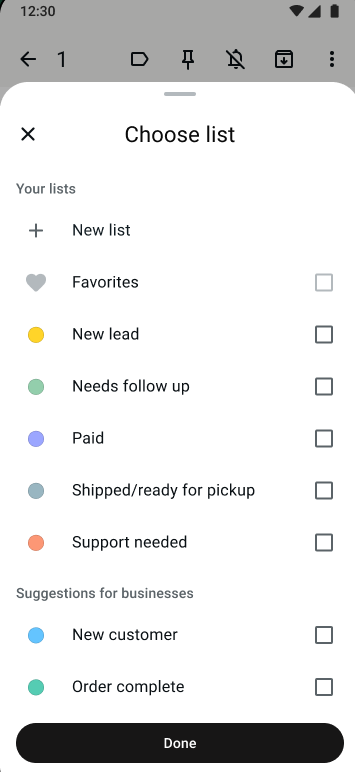
Use lists to categorize chats. Create lists like “New customer,” “Pending order,” “Follow-up needed,” or “VIP” to quickly sort and prioritize conversations. This makes it easy to find specific chats and ensures nothing falls through the cracks.
Set up quick replies for common questions. Save time by creating pre-written responses for FAQs like business hours, pricing, or shipping details. Quick replies let you respond in seconds without typing the same message repeatedly.
Take advantage of automated messages. Use greeting messages to welcome new customers, and away messages to set expectations when you’re unavailable. This keeps conversations moving even when you can’t respond in real time.
Prioritize and respond promptly. Customers expect fast replies on messaging apps. Make a habit of checking your inbox at regular intervals and addressing time-sensitive messages first.
Archive resolved conversations. Once a conversation is complete and/or a sale is made, archive it to keep your active inbox clean and focused on in-progress chats.
Build good habits now to prepare for business growth
The organizational practices you put in place today are the foundation for scaling your business tomorrow. As your customer base grows and message volume increases, a well-organized inbox makes it far easier to:
- Bring on additional team members without losing track of conversations.
- Maintain consistent response quality as you handle more inquiries.
- Identify patterns in what your customers are asking, so you can improve your offerings.
- Transition to more advanced tools when you’re ready — without starting from scratch.
Think of your inbox management system as an investment. The more structured your approach is now, the smoother your growth will be.
Scale with your team
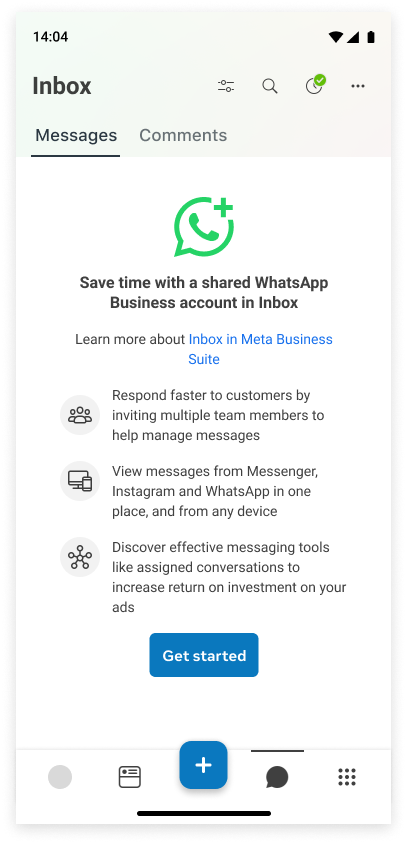
The WhatsApp Business app supports up to 4 linked devices on a single number, so multiple team members can view and respond to messages from their own devices. As your business grows, you don’t need to juggle multiple phone numbers or worry about missing messages when someone steps away — your whole team can stay connected to customers with a shared WhatsApp Business account in Inbox on Meta Business Suite.
You can also manage messages on Messenger, Instagram and WhatsApp together in Meta Business Suite, giving you a single view of all your customer conversations across apps. No more switching between apps to check for inquiries — everything lives in one place, so you never miss a message.
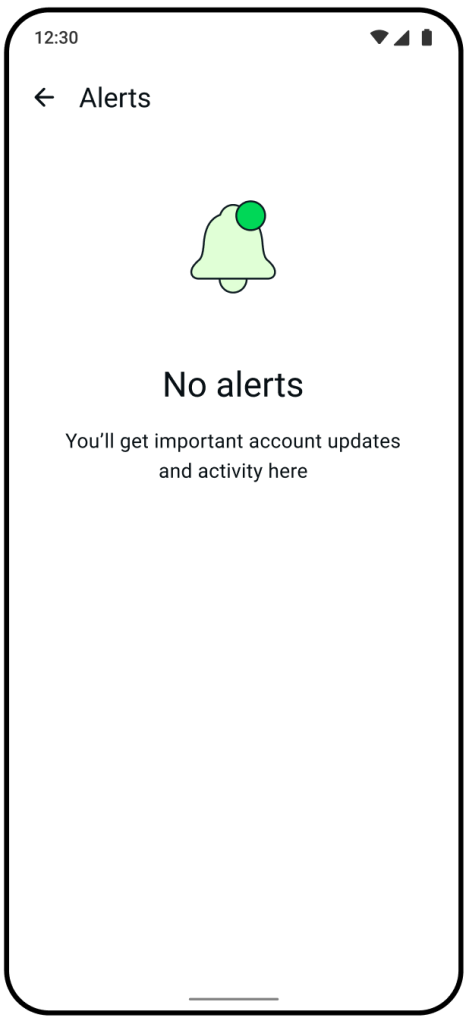
Keep track of all your messages with Alerts Center
With so many messages and notifications coming in throughout the day, it can be easy to overlook something important, like an urgent customer question or a time-sensitive order. The Alerts Center keeps all your critical business notifications in one place, so you don’t have to rely on catching a push notification in the moment. Try checking it regularly, the same way you’d check your inbox, to stay on top of what needs your attention and respond before opportunities slip by.
Ready for more?
If you reach a point where you need more advanced tools like automation, CRM integrations, or unlimited team members, you’re able to connect WhatsApp Business to the WhatsApp Business Platform on the same number. You keep the app, your number, and your chat history while adding professional features on top. It’s a seamless next step when your business is ready for it.