

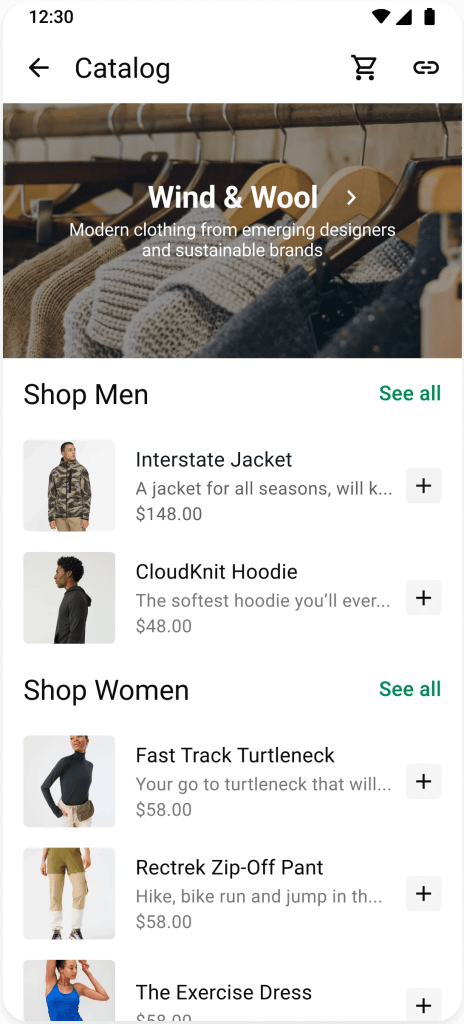
1. Make sure your catalog is up to date
Your catalog is what customers browse, what you share in a tap and what your AI agent pulls from to answer questions.
Group seasonal items into collections the way people shop: “Gifts under $25,” “Last-minute,” “Ships by Dec 18”
- Confirm prices are current, including any seasonal pricing or bundles
- Keep availability accurate so customers see what’s ready to ship before your cutoff
- Use clear, accurate photos and descriptions — “Gift set — 3 candles, boxed” tells a new customer more than “Bundle #3”
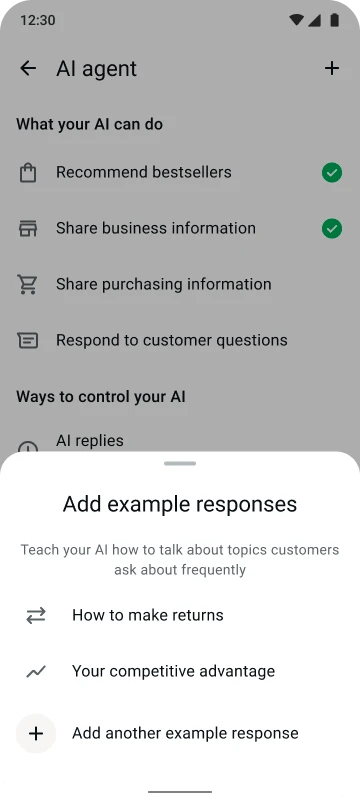
2. Set up your Meta Business Agent to respond on your behalf
Setup is step one — a quick test run is what gets you ready. Use demo mode to test your Meta Business Agent with the questions your customers are about to ask — “What’s your shipping deadline?”, “Anything under $30?”, “Do you gift wrap?”
Confirm your catalog and price list are showing up accurately in its answers, and that it hands the right conversations over to you. Every question it can answer well is one more thing handled while you’re focusing on other aspects of your business during peak season.
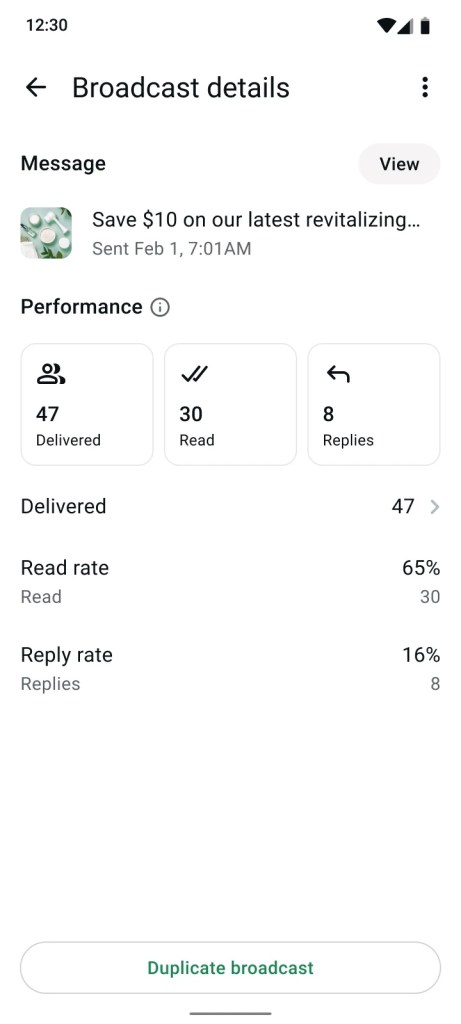
3. Set up a business broadcast
Business broadcasts help you start conversations with your customers. Map backwards from your busiest day and pick your key moments to send business broadcasts.
For example: a shipping deadline reminder can help encourage a potential customer to make a purchase during the busy season. Segment your lists so each group gets something relevant, lead with something useful rather than promotional, and keep it to a few well-timed sends.
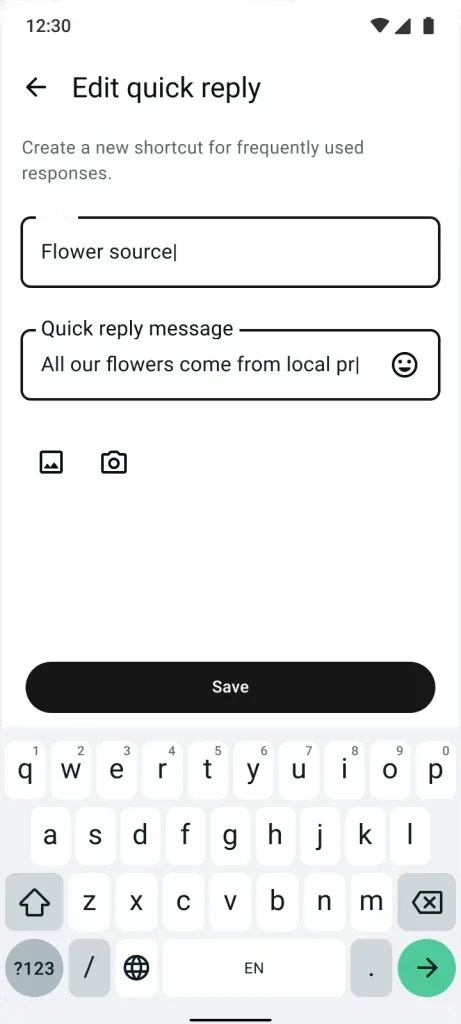
4. Add quick replies for seasonal questions
You already have quick replies for everyday questions. Ensure you prepare specific quick replies for seasonal interactions — shipping cutoffs, gift wrap, seasonal hours, gift returns, gift cards and custom order deadlines.
Include the specifics: “orders placed by XX date arrive before XX date” answers the question completely. Add the same information to your business profile so your agent can use it too.
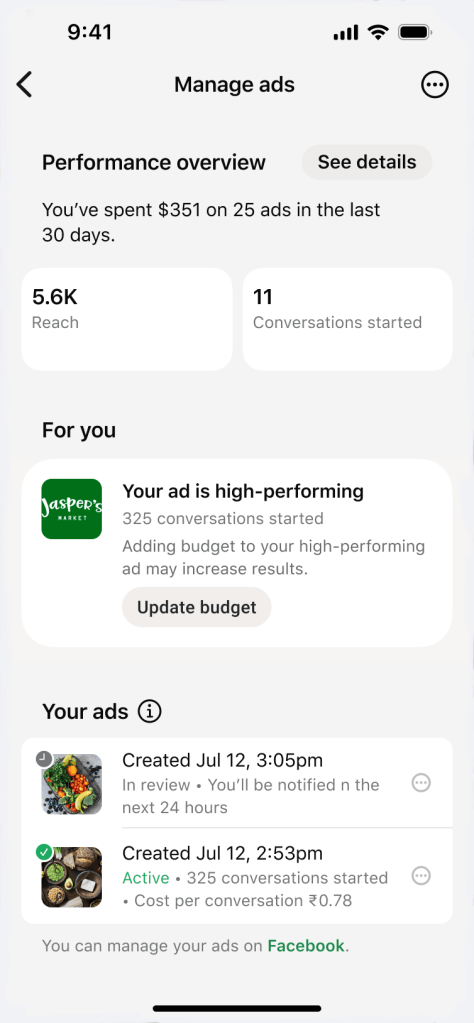
5. Adjust your ads as needed for peak season
Look at which ads drove the most message conversations and clicks and adjust your ad budget accordingly. Ensure your ad efforts are reaching the right audiences with the right messages.
Then make sure your messaging tools are ready for any ads that click to WhatsApp: Meta Business Agent, away messages, greeting messages and quick replies. That’s where your ad traffic lands, so it’s worth having it all set.
Your checklist to prepare for busy season:
- Review your catalog availability so it reflects what you can ship
- Ask your AI agent your top 3 seasonal questions and fill in anything it’s missing
- Write one quick reply with your shipping deadline in it
- Schedule one broadcast for your cutoff date
- Shift budget to your best-performing ad