

Set up a professional business profile
Before a customer ever sends you a message, they’ll see your business profile. Think of it as your digital storefront, telling people who you are and why they should trust your business.
Make sure you complete every field:
- Business name — Use the name your customers already know you by.
- Profile photo — Your logo or a clean, well-lit photo of your shop or product. This is what people see in their chat list, so make it recognizable.
- Description — Keep it short and specific. What do you sell? Who do you serve? (Example: “Handmade cakes and pastries in Mumbai. Custom orders welcome – message us to get started!”)
- Business hours — Set expectations upfront so customers know when to expect a reply.
- Address & website — Make it easy for people to find you or learn more.
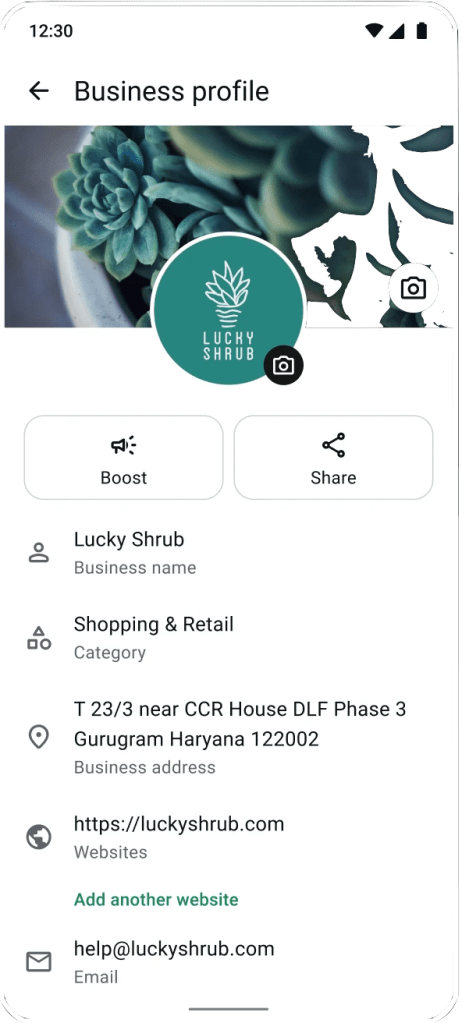
Why this matters for your business:
When customers see a complete, polished profile, they’re more likely to feel confident they’re dealing with a legitimate business. It’s one of the easiest things you can do to stand out from competitors who leave their profiles half-empty.
Optimize your ads to start the right conversations
Ads that click to WhatsApp can help small businesses bring new customers straight into a conversation. When someone taps your ad, it opens a WhatsApp chat with you directly; no landing pages, no forms, no friction.
But the key to a great first impression starts before that chat opens. It starts with your ad.
Creative tips for your ad imagery:
- Use bright, clear images that show your product or service in action (a customer enjoying your food, someone wearing your product, a before-and-after of your work).
- Keep text on images minimal, letting the visual do the talking.
- Show real photos over stock images when possible. Authenticity builds trust, especially for small businesses.
- If you’re a service-based business, show the result or outcome customers can expect.

Tips for your ad copy:
- Be specific about what happens when they tap. Instead of “Contact us,” try: “Message us for a free quote in under 5 minutes” or “Tap to see today’s specials and order directly.”
- Speak to a specific need or pain point. (Example: “Tired of waiting days for a tailor? Message us to have your measurements confirmed in one chat.”)
- Keep it short, clear, and action-oriented.
- Make sure your ad copy matches what they’ll see when the chat opens, because consistency builds trust immediately.
Choosing your audience:
With Meta ads, you can help your ads reach your ideal audience based on:
- Location — Reach customers in your neighborhood, city, or delivery zone.
- Interests — Target people interested in what you sell (e.g., fitness enthusiasts for a health food business, new parents for a baby clothing shop).
- Lookalike audiences — Once you have some customers, Meta can help you find more people like them.
Start small. Test a modest budget with a specific audience, see what works, and scale from there. Even a few dollars a day can drive meaningful conversations for a small business.
Why this matters for your business:
When the right people see your ad and land in a well-prepared chat, that first interaction can feel more seamless and relevant, not random or pushy.
Make a great first impression with auto-replies and quick replies
Here’s the reality: customers on WhatsApp expect fast responses. If someone messages your business and hears nothing back, they’re likely to message a competitor instead.
As a small business owner juggling multiple responsibilities, you can’t always reply in real time. That’s exactly why auto-replies and quick replies exist. They help you stay responsive even when you’re busy.
Greeting messages
Set up an automatic welcome message that goes out the first time someone messages you. This helps ensure no customer is ever met with silence. With greeting messages, they immediately know their message was received and you’ll be with them shortly, even during busy seasons.
Example: “Hi there! 👋 Thanks for messaging [Your Business Name]. We’re happy to help! Let us know what you’re looking for and we’ll get back to you shortly.”
Away messages
When someone messages outside your business hours, an away message reassures them that you’ll respond soon.
Example: “Thanks for reaching out! We’re currently closed but will reply first thing in the morning. In the meantime, feel free to browse our catalog.”
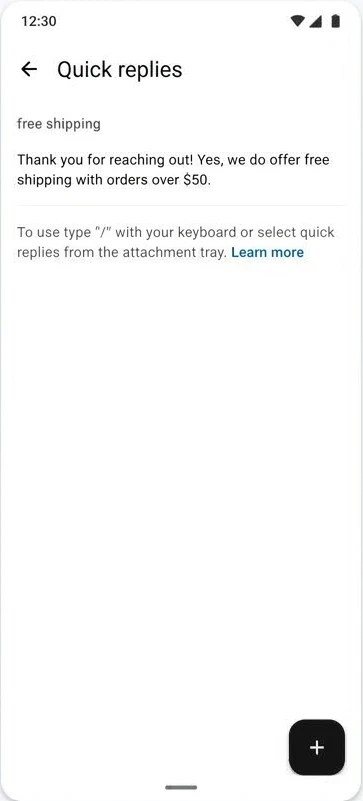
Quick replies
These are pre-saved responses to your most frequently asked questions, like pricing, availability, shipping and how to order from your business. Instead of typing the same thing repeatedly, you can send a polished, accurate answer in one tap.
Example quick replies:
- /hours → “We’re open Monday to Saturday, 8am–6pm. Closed on Sundays and public holidays.”
- /delivery → “We deliver within 10km for free on orders over $XX. Delivery takes 1–2 hours during business hours.”
- /order → “To place an order, simply send us what you’d like from our catalog and your delivery address. We’ll confirm availability and send a total!”
Pro tips for getting these right:
- ✅ Proofread everything. Since these messages are pre-drafted, there’s no excuse for typos or unclear language. Take the time to make them polished and professional.
- ✅ Sound like your brand. Friendly? Formal? Playful? Make sure your tone is consistent with how you’d speak to a customer in person.
- ✅ Be genuinely helpful. Don’t just acknowledge the message — give the customer something useful (information, a next step, or a timeframe).
- ✅ Update regularly. If your hours, pricing, or processes change, update your replies too.
Why this matters for your business:
Your auto-replies and quick replies are often the very first thing a new customer sees from you. A fast, helpful, typo-free response immediately signals that you’re professional, organized, and easy to work with. That’s a first impression that sticks.
Use the Meta Business Agent for 24/7 customer service
What if you could give every customer an immediate, helpful response, at all hours of the day? The Meta Business Agent can help make that possible for small businesses on WhatsApp.
What it does:
The Meta Business Agent is an AI-enabled assistant that works within your WhatsApp Business app. It can answer common questions, provide product information, and handle initial inquiries on your behalf so customers can get a fast response, no matter when they reach out.
The best part: you control it.
- Set it up to match your brand voice. Whether your business is warm and casual or polished and formal, you can customize how the agent communicates so it sounds like you, not a generic robot.
- Feed it the right information. The agent responds based on what you provide, like your products, services, FAQs, and policies. The better the information you give it, the more helpful it is for your customers.
- Step in when you need to. For complex questions or sensitive conversations, you can always take over personally. The agent handles the routine stuff so you can focus on where the human touch matters most.
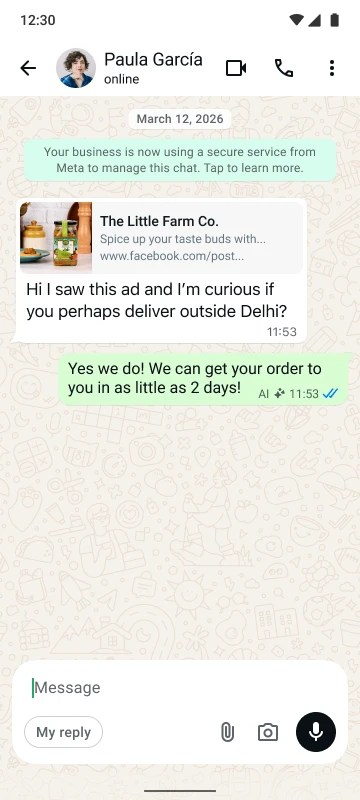
What this means for your customers:
- They get immediate answers, day or night — no more waiting until morning for a simple question.
- Their experience is consistent and positive.
- They feel taken care of from the very first message, which builds trust before you’ve even spoken directly.
Why this matters for your business:
As a small business, you can’t be available 24/7, but your customers’ questions don’t stop when you close up shop. The Meta Business Agent can help you deliver round-the-clock service without hiring a team, helping your business feel more reliable from that very first interaction.
Re-engage customers and encourage repeat sales with business broadcasts
A great first impression gets someone through the door. But it’s what you do after that first conversation can help turn a one-time buyer into a loyal, returning customer. That’s where business broadcasts come in.
What are business broadcasts?
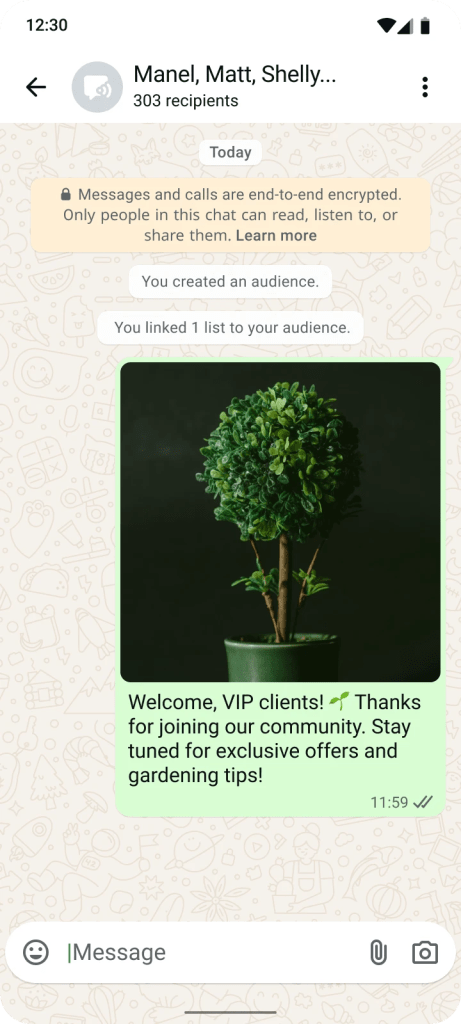
Business broadcasts let you send a message to multiple customers at once, without creating a group chat. Each person receives it as a private, personal message from your business.
How to use business broadcasts to drive repeat business:
- Welcome offer: After someone’s first purchase, follow up with a thank-you message and a small incentive to come back. (“Thanks for your order, Sarah! Here’s 10% off your next purchase. Just mention this message.”)
- New product alerts: Restocked a popular item? Launching something new? Let your customers know first.
- Seasonal reminders: Prompt repeat purchases at natural moments. (“Our biggest sale of the year is coming up! Order your custom bouquet by next week for guaranteed delivery!”)
- Helpful content: Share tips related to your product. A skincare brand might send “3 tips for keeping your skin hydrated this winter!” It’s useful, keeps you top-of-mind, and generates interest.
Pro tips for getting these right:
- ✅ Only message customers who’ve opted in or saved your number.
- ✅ Keep every message relevant and valuable. Ask yourself, “Would I want to receive this?”
- ✅ Be consistent but not overwhelming. 1–2 messages per week is a good starting point.
- ✅ Include a clear next step (reply to order, tap a link, visit your shop).
- ❌ Don’t spam. Nothing undoes a great first impression faster than bombarding someone with irrelevant messages.
Why this matters for your business:
Acquiring a new customer often costs more than keeping an existing one. Business broadcasts help you stay connected with people who already know and trust you, gently encouraging them to come back and buy again, all without spending more on ads.
Optimize each step to make a great first impression
| Step | What to do |
|---|---|
| Profile | Complete every field: photo, description, hours, address |
| Ads | Create targeted ads that click to WhatsApp with clear imagery and copy |
| Auto-replies | Set up polished, typo-free greeting and away messages |
| Quick replies | Save helpful answers to your most common questions |
| Meta Business Agent | Set up AI assistance with your brand voice for 24/7 coverage |
| Business broadcasts | Follow up with relevant messages to drive repeat business |